STW Knowledge Base
Manage Account
Web hosting
Administration
Email
Webmail
Spamfilter
Outlook 2019
Thunderbird
Mail (iOS)
Mail (macOS)
Outlook (iOS)
Wordpress
Install app with Softaculous
Databases
PHP
Backup
FTP/SSH
Statistics
STW Mail
Adding Other Email Accounts
Mail for macOS
Domains
Manage domains
DNS
Change domain ownership
SSL sertifikat
Configure your certificate
Install certificate on shared hosting
Manage certificate
Create Certficate Signing Request (CSR)
VPS
Manage VPS
Feilsøking
VPS GP3
Snapshots
Dedicated Server
Manage Your Dedicated Server
Plesk
Plesk Obsidian (version 18)
Administrasjon
Nettside og domene
E-post
Acronis Backup Cloud
Restore data
Restore server
Troublshooting
FJERNSTYRING
Norsk
English
STW Knowledge Base
Acronis Backup Cloud
Restore data
Restore file/folder
Log in to
https://baas.stwcp.net/
Find the relevant machine under
DEVICES
and click
RECOVER
Click
RECOVER
, then
FILES/FOLDER
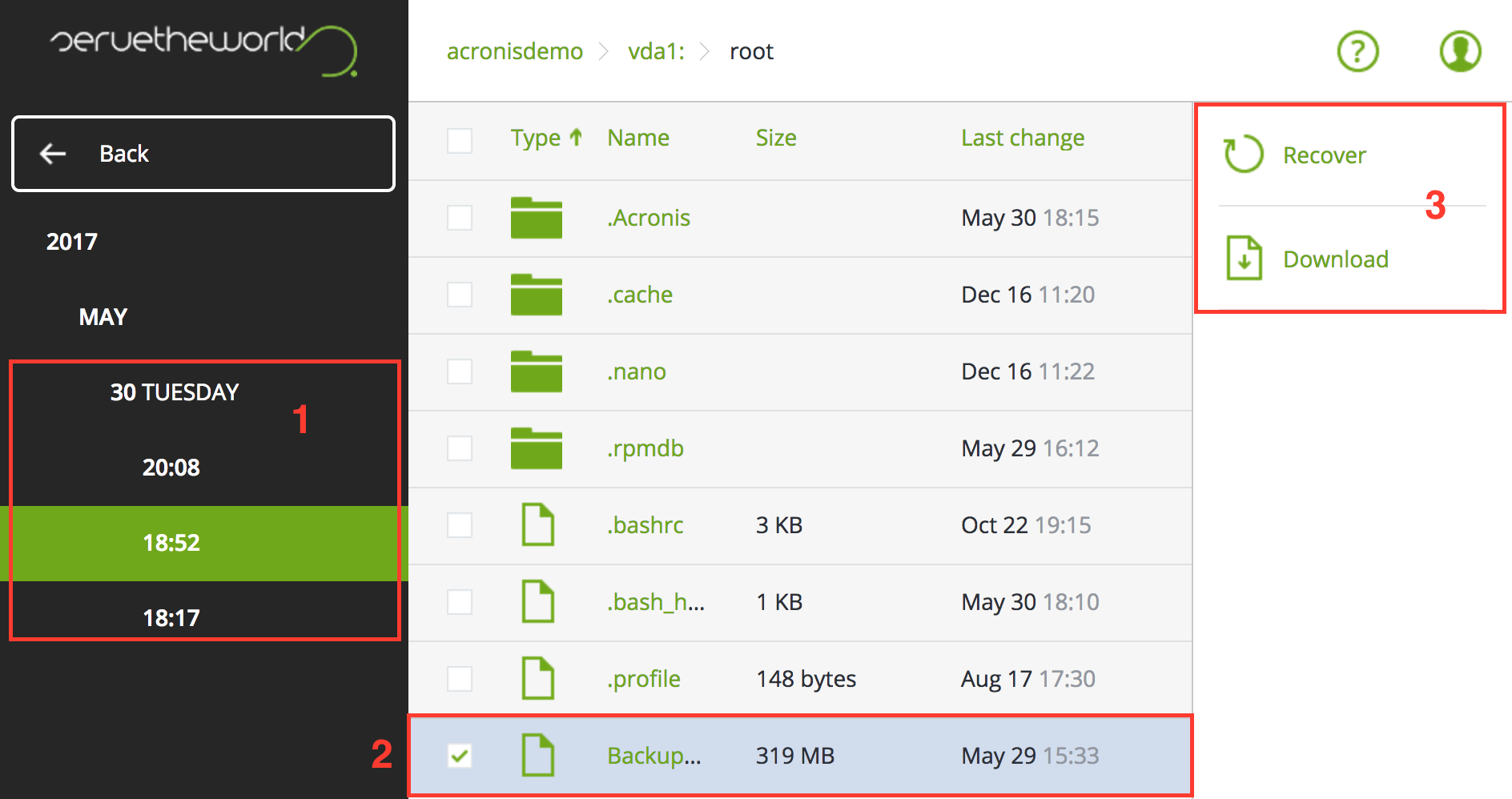
Item
Description
1
Select the desired date
2
Select one or more files/folders
3
Download a copy of the data or restore the data directly to the server